
When troubleshooting logs, it’s often difficult to identify which user triggered an error or which site a request originated from.
In this article, we’ll explore how enrichers can enhance the logs in Umbraco. We will cover two practical scenarios:
-
Adding membership information to logs
-
Recording the request’s domain in multi‑site environments
Why Use Enrichers Instead of Manual Logging
Umbraco ships with Serilog by default and it is common to write log statements like below:
_logger.LogInformation("Member with Membership ID: {MemberId} has opened the page", memberId);This works, but quickly becomes repetitive and error‑prone.
With Serilog enrichers, you can automatically attach useful information (such as MemberId or MemberEmail) to every log event without cluttering your codebase.
Adding Membership Context
For this demo, I used Paul Seal’s Clean Starter Kit with Umbraco 17.
Then added a few Document Types with Templates to showcase membership and published these pages similar to the guide in the Umbraco Docs.
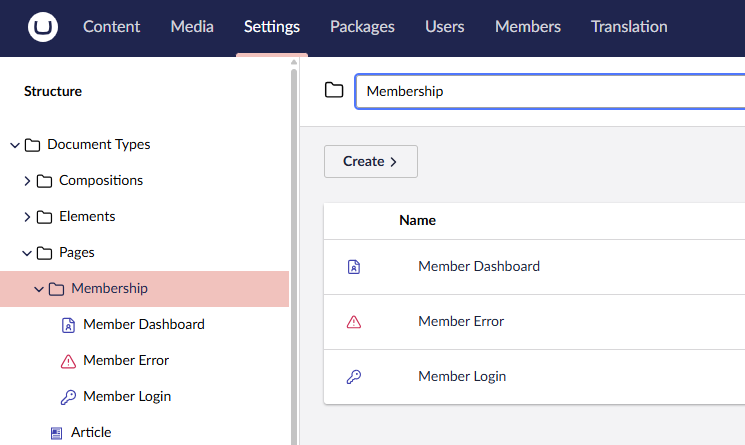
The Membership Document Types.
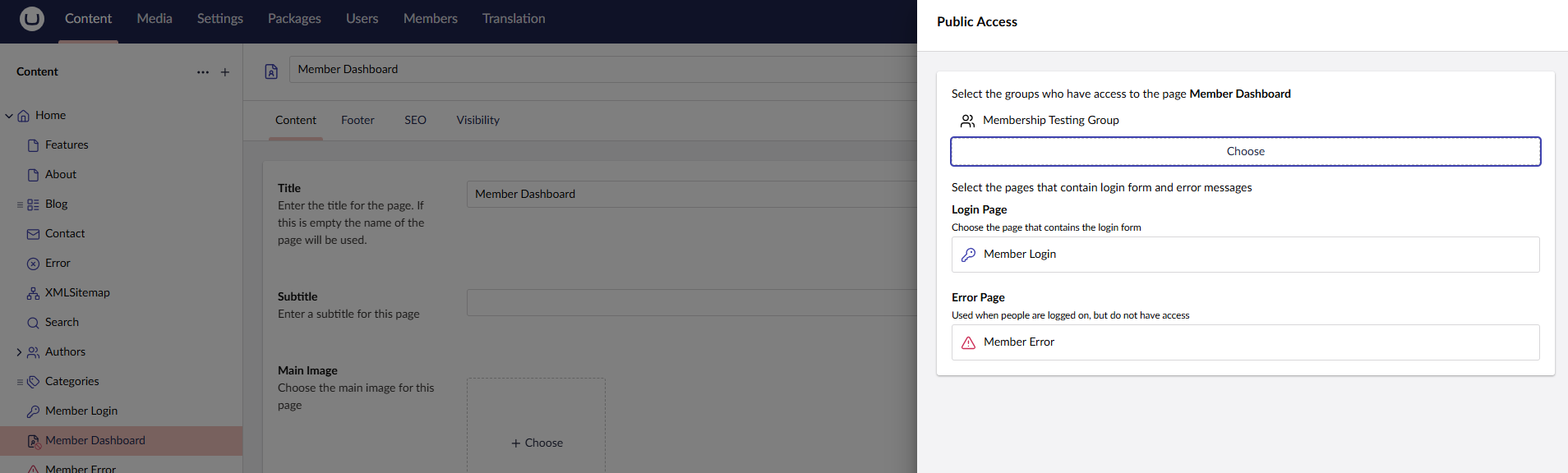
Restricting the Membership Dashboard to only logged in Members.
The Membership Enricher
The MemberLoggingEnricher adds MemberId and MemberEmail when an authenticated front‑end member is logged-in, and skips Umbraco backoffice requests.
using Serilog.Core;
using Serilog.Events;

namespace UmbracoSerilogEnrichersDemo.LoggingEnrichers
{
    /// <summary>
    /// Enriches Serilog events with member-related properties when a front-end member is authenticated.
    /// Skips enrichment for unauthenticated requests and Umbraco backoffice users.
    /// </summary>
    public class MemberLoggingEnricher : ILogEventEnricher
    {
        readonly IHttpContextAccessor _httpContextAccessor;

        public MemberLoggingEnricher(IHttpContextAccessor httpContextAccessor)
        {
            _httpContextAccessor = httpContextAccessor;
        }

        /// <summary>
        /// Adds "MemberId" and "MemberEmail" to the log event when applicable.
        /// </summary>
        public void Enrich(LogEvent logEvent, ILogEventPropertyFactory propertyFactory)
        {
            if (_httpContextAccessor == null || _httpContextAccessor.HttpContext == null)
                return;

            HttpContext httpContext = _httpContextAccessor.HttpContext;

            // only enrich when a user is present and authenticated.
            if (httpContext.User == null || httpContext.User.Identity == null || httpContext.User.Identity.IsAuthenticated == false)
                return;

            // exclude Umbraco backoffice requests.
            var isUmbracoBackoffice = httpContext.User.Identity.AuthenticationType == "UmbracoBackOffice";
            if (isUmbracoBackoffice)
                return;

            // add member ID if not already present.
            logEvent.AddPropertyIfAbsent(
                propertyFactory.CreateProperty("MemberId", httpContext.User.Identity.GetUserId()));

            // add member email if not already present.
            logEvent.AddPropertyIfAbsent(
                propertyFactory.CreateProperty("MemberEmail", httpContext.User.Identity.GetEmail()));
        }
    }
}
Register the enricher with a Composer:
public class MembershipLoggingComposer : IComposer
{
    public void Compose(IUmbracoBuilder builder)
    {
        builder.Services.AddSingleton<ILogEventEnricher, MemberLoggingEnricher>();
    }
}
Enable the Serilog Request Logging middleware in Program.cs. This middleware that automatically logs HTTP requests and related information such as method, path, status code, in a structured format.
app.UseSerilogRequestLogging();
Walkthrough
1. Open the Member Login page on the front-end and sign in using the form.
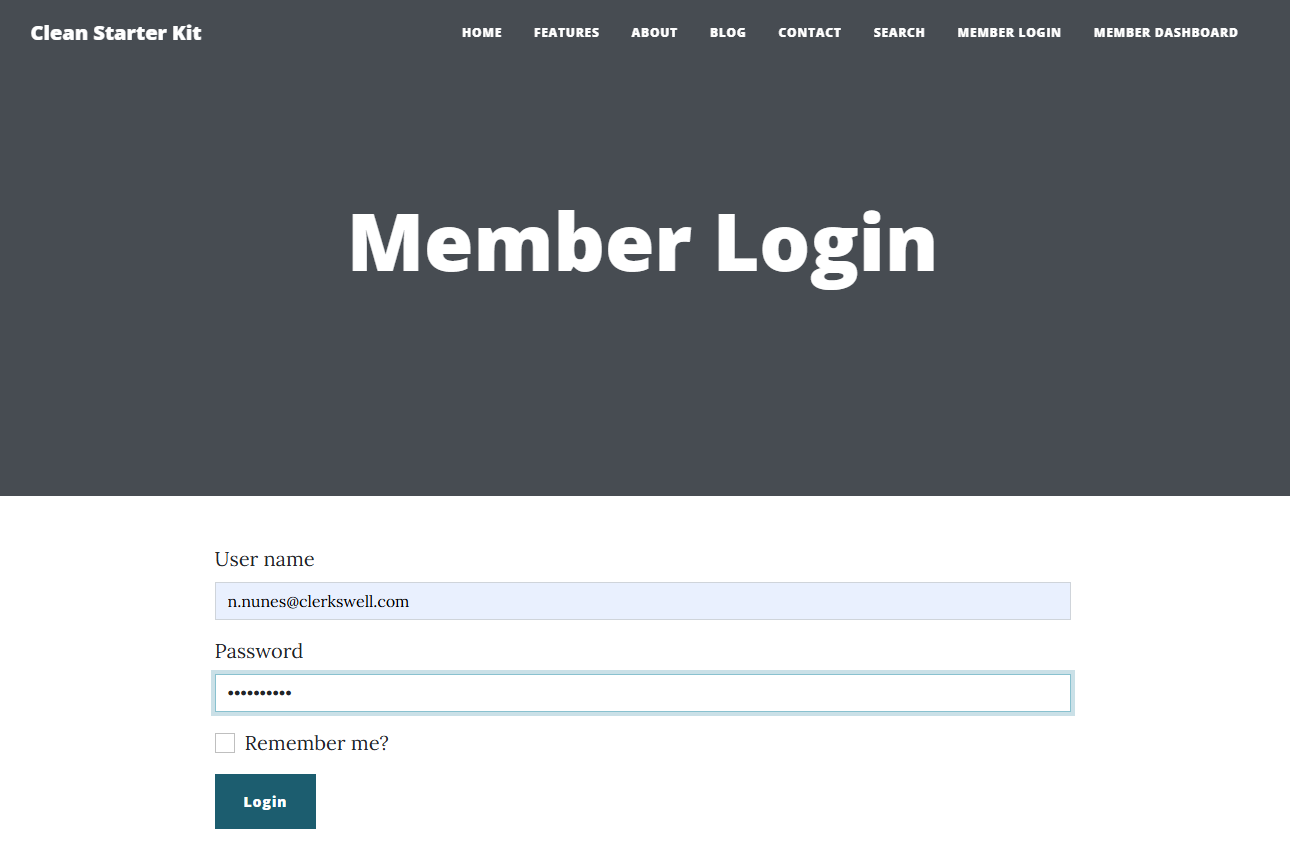
2. On a successful login, the user is navigated to the Member Dashboard page.
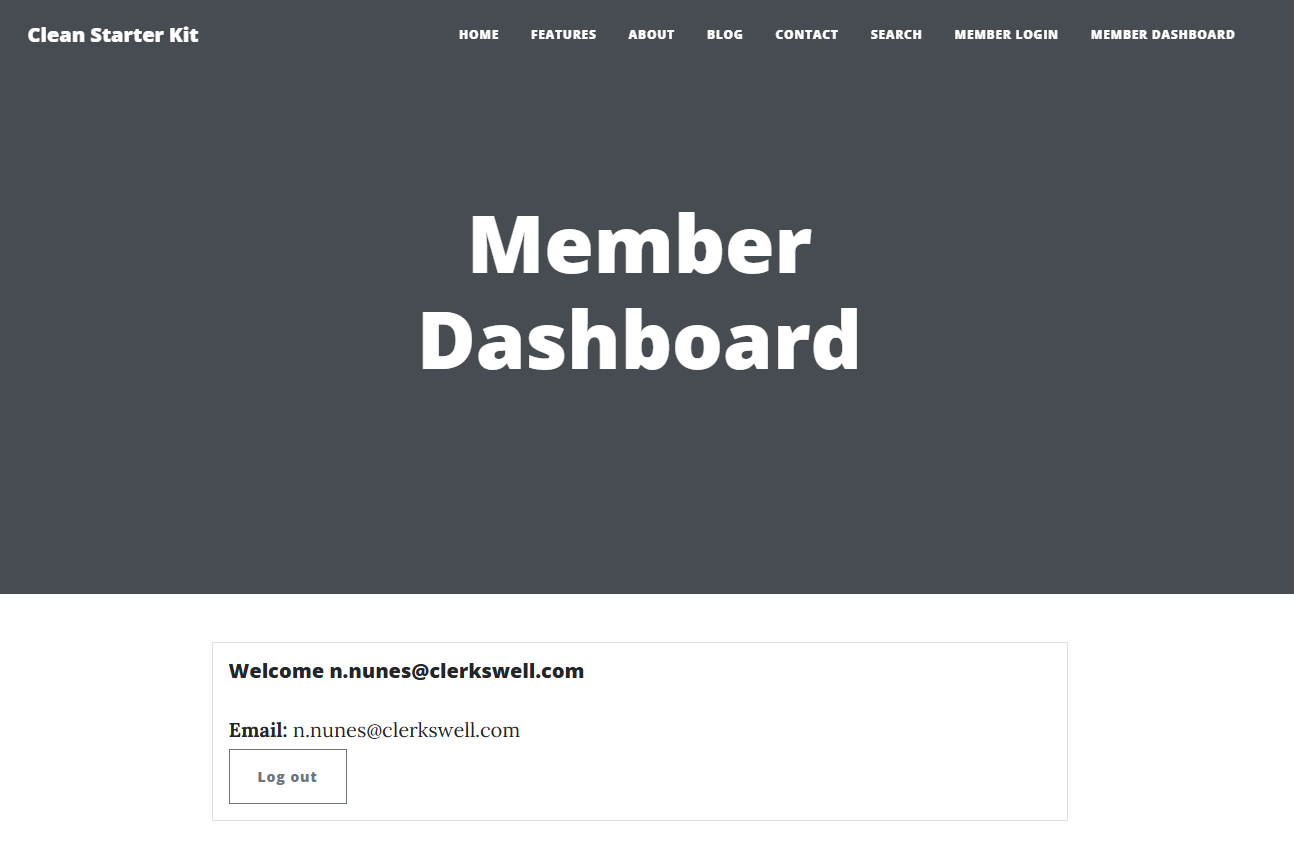
3. Open the Umbraco backoffice in another browser or in the incognito mode and view the logs in the Log Viewer dashboard.
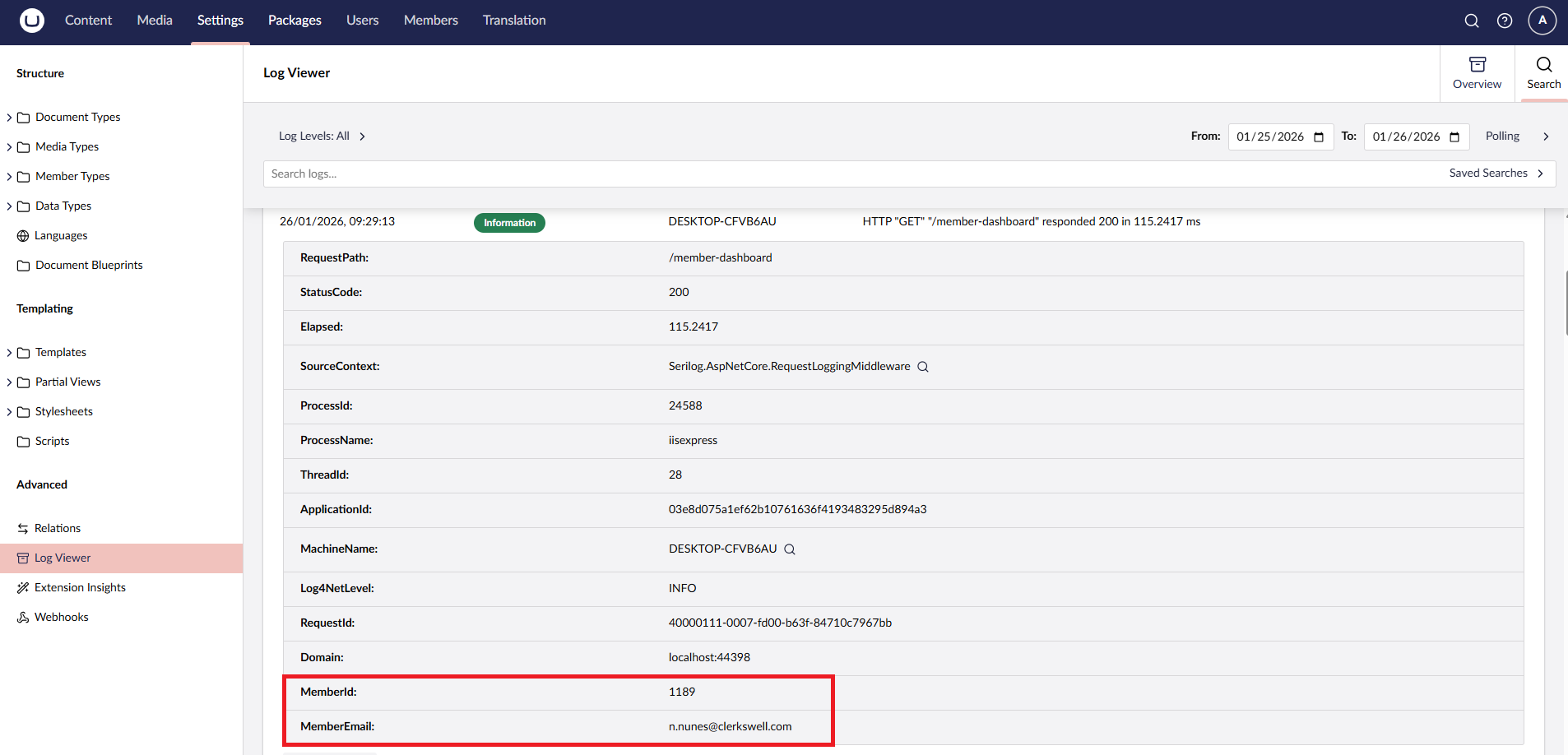
4. If we view a log entry for any of the front end requests, we should see the MemberId and MemberEmail logged as properties in that entry.
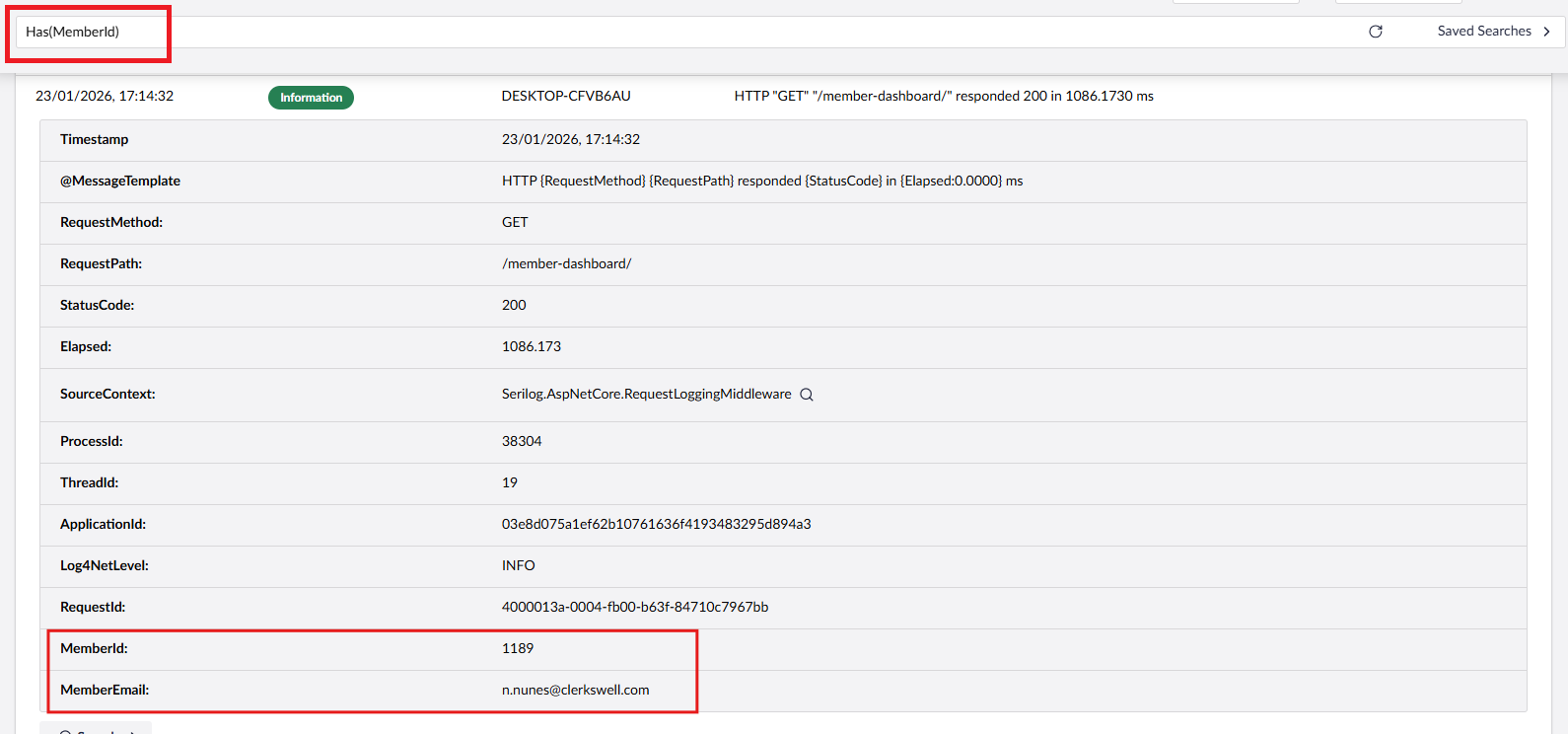
5. The Umbraco Log viewer also supports search queries, so we can run a query like Has(MemberId) in the search box. This query filters all logs that have membership context.
Capturing Domain Information in Multi‑Site Setups
In multisite Umbraco setups, it’s useful to know which site generated a log entry.
The following enricher adds a Domain property based on the request host.
using Serilog.Core;
using Serilog.Events;

namespace UmbracoSerilogEnrichersDemo.LoggingEnrichers
{
    /// <summary>
    /// Enriches Serilog events with the request domain (host) for front-end requests.
    /// </summary>
    public class DomainLoggingEnricher : ILogEventEnricher
    {
        // Provides access to the current HTTP context (request, user, etc.).
        readonly IHttpContextAccessor _httpContextAccessor;

        public DomainLoggingEnricher(IHttpContextAccessor httpContextAccessor)
        {
            _httpContextAccessor = httpContextAccessor;
        }

        public void Enrich(LogEvent logEvent, ILogEventPropertyFactory propertyFactory)
        {
            var httpContext = _httpContextAccessor.HttpContext;
            var host = httpContext?.Request?.Host.Value;

            // exclude Umbraco backoffice requests
            var isUmbracoBackoffice = httpContext?.User?.Identity?.AuthenticationType == "UmbracoBackOffice";
            if (isUmbracoBackoffice)
                return;

            // only add when host is present
            if (!string.IsNullOrEmpty(host))
            {
                logEvent.AddPropertyIfAbsent(propertyFactory.CreateProperty("Domain", host));
            }
        }
    }
}
Register the enricher with a Composer:
public class DomainLoggingComposer : IComposer
{
    public void Compose(IUmbracoBuilder builder)
    {
        builder.Services.AddSingleton<ILogEventEnricher, DomainLoggingEnricher>();
    }
}
Walkthrough
1. Visit any front‑end page.
2. Open the Umbraco backoffice and check the Log Viewer.
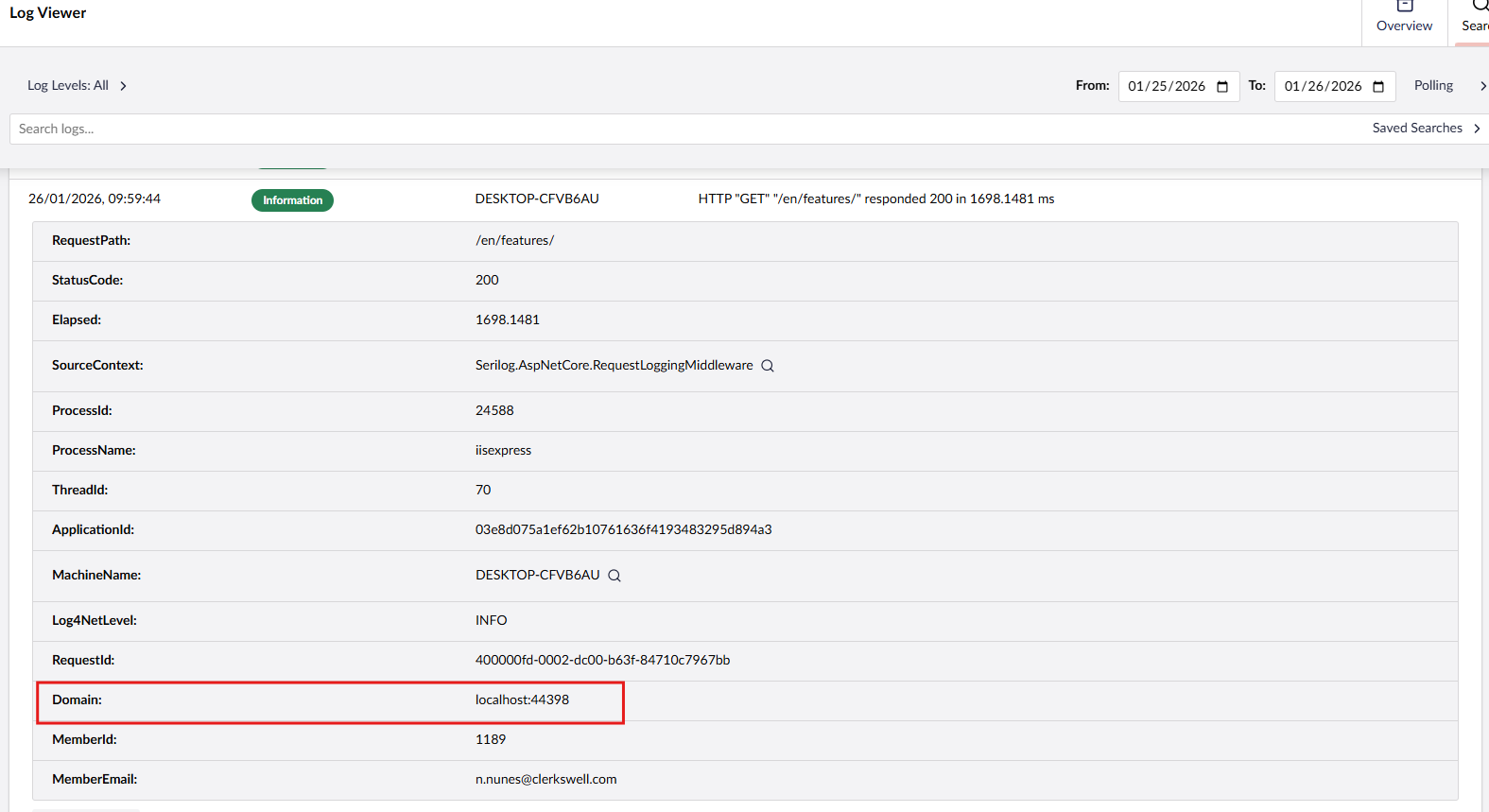
3. If we expand any entry related to a front end request, we should be able to see the Domain property logged.
Additional Considerations
Serilog request logging is powerful but can be noisy. Consider excluding logs for static assets, health checks, or backoffice routes.
Andrew Lock’s guide on excluding health check endpoints is a great resource.
Conclusion
By adding enrichers, your logs gain practical, high‑signal context without repetitive code.
I hope this helps, especially if you are running multi‑site Umbraco setups or supporting authenticated members.
For example, Jeroen Koppenol’s Skrift article demonstrates how to enrich logs with the WEBSITE_SITE_NAME environment variable provided by Azure Web Apps
Similarly, there is a post on the Umbraco Forums where developers are experimenting with adding exception context to improve observability.
If you adapt these enrichers for your own projects, or extend them to capture other properties, I’d love to hear your learnings. The Umbraco community has already shared some great ideas in this space:
The code used in this article is available on GitHub.