
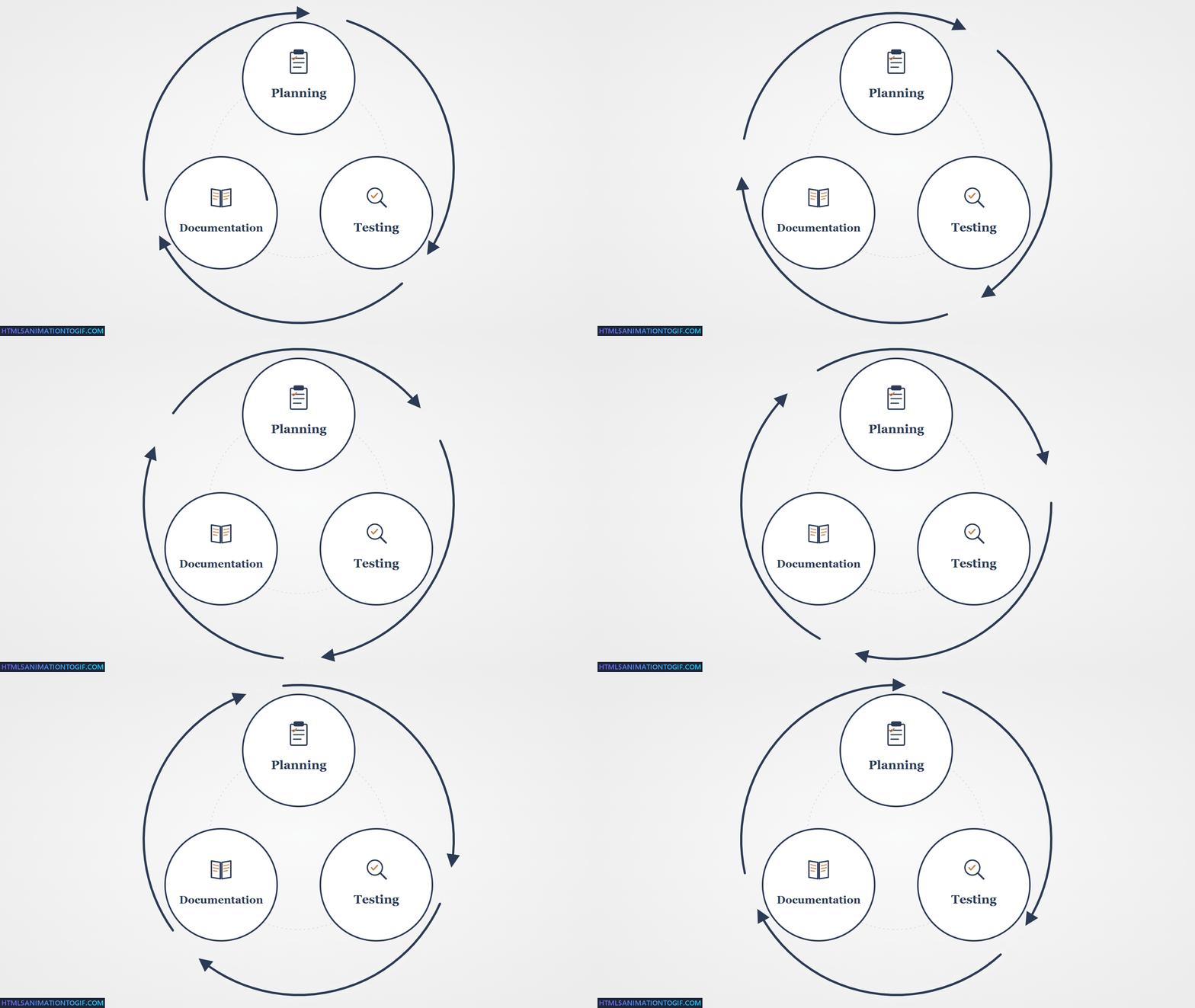
After nearly thirty years of building applications, I still find writing documentation a chore. It's not something I enjoy, and it's not something I look forward to. So I put it off until I have to.
The job isn't done until the documentation is done
- Anon
But of course it never is, and there are plenty of reasons why:
- Everything keeps changing while you build, so you can't write the docs until the project's complete
- By then the budget's gone, the deadline's gone, and nobody wants to take responsibility for it
- Even when it does get written, it goes stale the moment the project moves on
Busman's holiday
During my two weeks annual holiday at the end of 2025 I promised myself I'd get up to speed with AI, and after a few YouTube tutorials had created an Astro MCP server (built on Astro's own Docs MCP) by the end of the first day. I was shocked about how fast you can progress with very little effort.
The rest of that week I experimented with the Umbraco MCP server and, whilst I found it interesting, I also found it wasn't entirely reliable for editing more than a page or two. However, it piqued my interest and I was looking forward to testing it on a new project I was starting in the New Year.
The second week of the holiday I shifted from content to tooling. Using the code examples I had learned from the official Umbraco extending the backoffice course, I wrote my own MCP server to help me create things in the new backoffice itself: dashboards, property editors, context menu items.
I posted a working example to the Umbraco community asking whether I should pursue this or whether Umbraco were already building something similar. Phil Whittaker, who worked on the early Umbraco MCP server, replied that they were, and pointed me at his Claude skills repo to try over the weekend.
Marked-up markdown
Before I knew it the holiday was over and I was starting the new year on a real client project. It was hundreds of pages in PDFs and hundreds more in password-protected web pages that all needed to be imported into a fresh Umbraco 17 site.
The MCP server got me part of the way, but it was guessing too much, and cleaning up the guesses was slower than doing the work by hand.
I began to investigate a hybrid approach: AI doing the parts AI is good at, with enough programmatic structure around it to stop the guessing.
The hybrid worked out to be three pieces: destination, source, and the mapping between them.
Destination
I knew the MCP server told the AI to use existing pages as a reference for new content, but that broke down when the pages varied even slightly. What I really needed was a blueprint, and as luck would have it Umbraco already had those built in, so that became my starting point for the destination.
So I exported the blueprint as an AI-friendly JSON schema and used it as the description of the destination.
Source
Because I was dealing with both PDFs and web pages, I decided I needed an intermediary common language.
During my experimentation over the holidays I had used a folder full of Obsidian markdown files to create new pages in an Astro website using the MCP server.
As AI plays really nice with markdown, I got it to write its own set of rules in JSON for converting the content in the PDFs and web pages to markdown, again with its own JSON schema.
Mapping
With rules describing the source and a blueprint describing the destination, the only missing piece was the wiring between the two. The map is a third JSON file: which piece of content goes into which blueprint field, and how to convert it on the way through.
Summary
The end result was a set of three principles:
- AI likes markdown and JSON
- Markdown is great for content
- JSON is great for context
Marked-up markdown.
All in on AI
The AI was working out great, but the prompts grew with every edge case. At some point it stopped feeling like a prompt and started feeling like an app.
I went all in. Fully vibe-coded. Not writing a line of code myself, trusting Claude to write all of it.
The result was UpDoc: an Umbraco extension that creates documents from external sources like PDFs and web pages, built on Umbraco's new backoffice using Vite, Lit and TypeScript.
By the time I started I'd got my head around how to actually work this way. Planning docs as the point of reference. Break the work into testable sprints. Let the AI do the writing, but keep the design in human hands.
Then UpDoc got complex. Fast. Halfway through the first day I realised the obvious. There was no way I was going to write the documentation after building this thing. By the time it was finished I wouldn't remember why half of it worked the way it did.
What's up, docs?
I was already writing planning docs. Long, structured ones, with checklists, that Claude would work from to do the actual coding. They got archived once the sprint was done.
I was also already running end-to-end tests, using the Umbraco Claude skill for Playwright testing to drive the Umbraco backoffice.
Everything I was writing was markdown. Planning docs in Obsidian, code comments, README files, chat context. Claude reads it, writes it, transforms it. And every docs tool, every editor, every publishing platform I might use speaks markdown too. It was the common currency.
And then it hit me. Those planning docs already describe everything. The features, the decisions, the steps. Why am I writing them once for the build and then writing it all again for the documentation? And if Playwright is already walking the user flow, why can't it capture screenshots at the same time?
So I went back to Claude and asked: can we document everything everywhere all at once? One source. The planning doc becomes the docs page becomes the test becomes the screenshots. Write it once, publish it everywhere.
That's the loop this article is about. So what would I build it with?
Written and hosted on GitBook
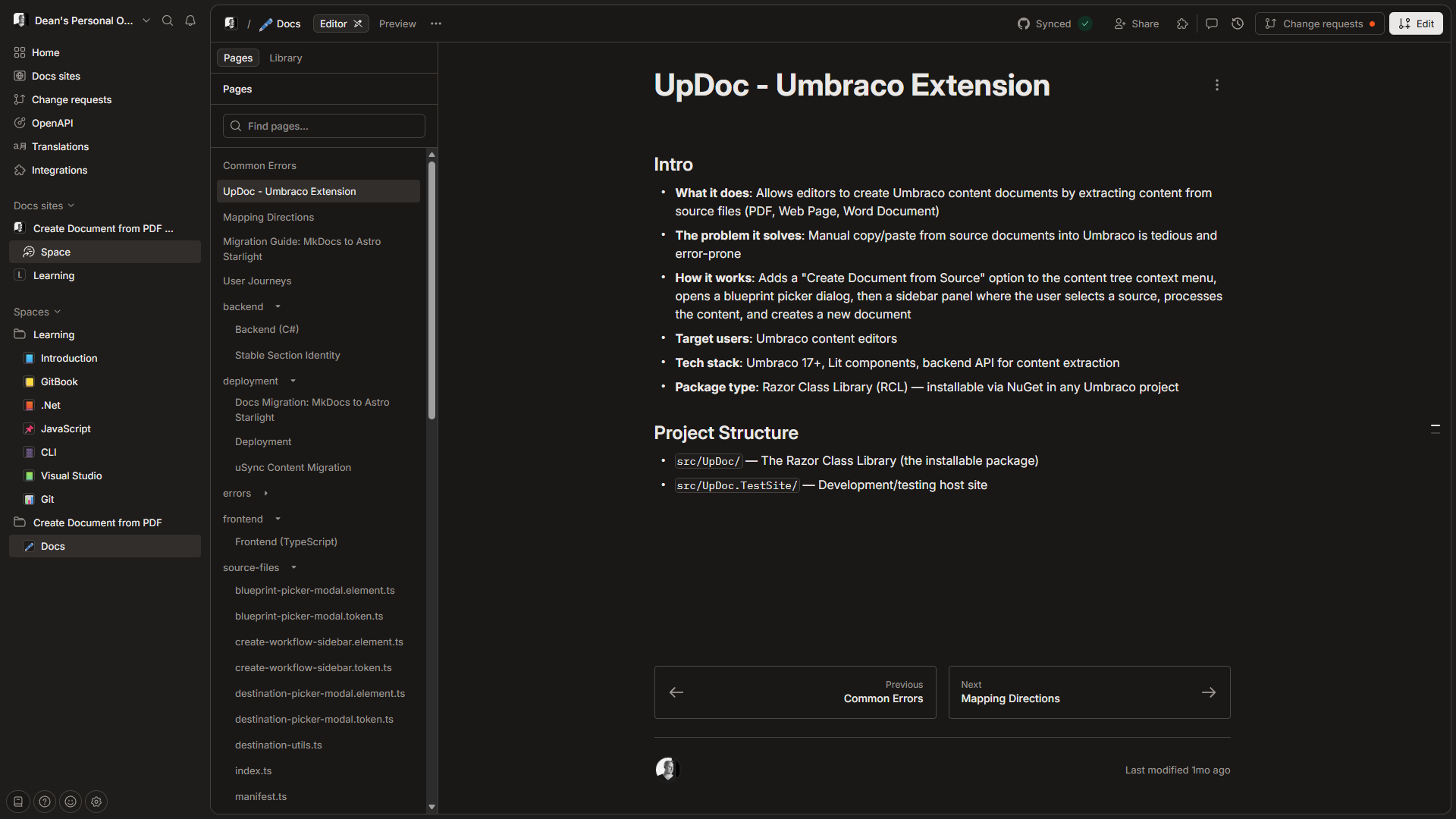
My first attempt was to automate documentation to GitBook:
- I'd already been using it for UmBootstrap
- Umbraco themselves use it for the official documentation
- No hosting setup, it's all managed by GitBook
I wrote planning docs, Claude turned them into markdown pages, and GitBook's Git sync pulled them in automatically.
However, I soon realised that I couldn't make the docs public without paying for a Premium plan.
So I decided to look for an alternative to GitBook.
Written in MkDocs, hosted on GitHub Pages
I had previously used GitHub Pages for documentation but didn't find it great. I wondered if it had improved since I last used it, or if there was a way to improve it.
So I asked Claude how I could reuse the same markdown files I already had for GitBook, this time on GitHub Pages, and whether there were better alternatives to make the setup nicer. Claude came back with a step-by-step setup guide for MkDocs with the Material theme. Free, clean, and built to play nicely with GitHub Pages.
It worked really well. I moved the markdown files across, set up the Material theme, deployed to GitHub Pages with a GitHub Action, and had a proper-looking documentation site for free. The navigation was collapsible and expandable, the search worked, and the whole thing felt on par with GitBook. I was genuinely happy with it.
Once the MkDocs setup was working, I wanted to check it would be a safe long-term choice for other projects too. I did some digging. A few things made me pause:
- MkDocs is Python, but everything else in my projects is TypeScript or Node. It was the one folder that needed a Python toolchain
- The Material theme team had started work on a successor called Zensical, a ground-up rewrite
- MkDocs 2.0 was announced as a breaking rewrite of its own
- A GitHub discussion about the project's maintenance turned into a public dispute
None of these were immediate problems, but they left me with a few doubts. So I did a shout-out to the frontend community on Bluesky, kindly amplified by Andy Bell. The recommendations came in:
- Astro Starlight: Tia Nguyen ("Quickly got it up and running"), Alberto Calvo ("Really solid stuff out of the box"), Sarah Rainsberger
- Hugo + docsy + Netlify: Abhishek Rathore ("Not the easiest, but Hugo developer experience is great")
- Fumadocs + Vercel: Moth
- VitePress + GitHub Pages: Stefan Zweifel ("Super easy for me")
- Self-hosting on a subdomain, or using the GitHub wiki: Owain Williams
Written in Astro Starlight, hosted on Cloudflare Pages
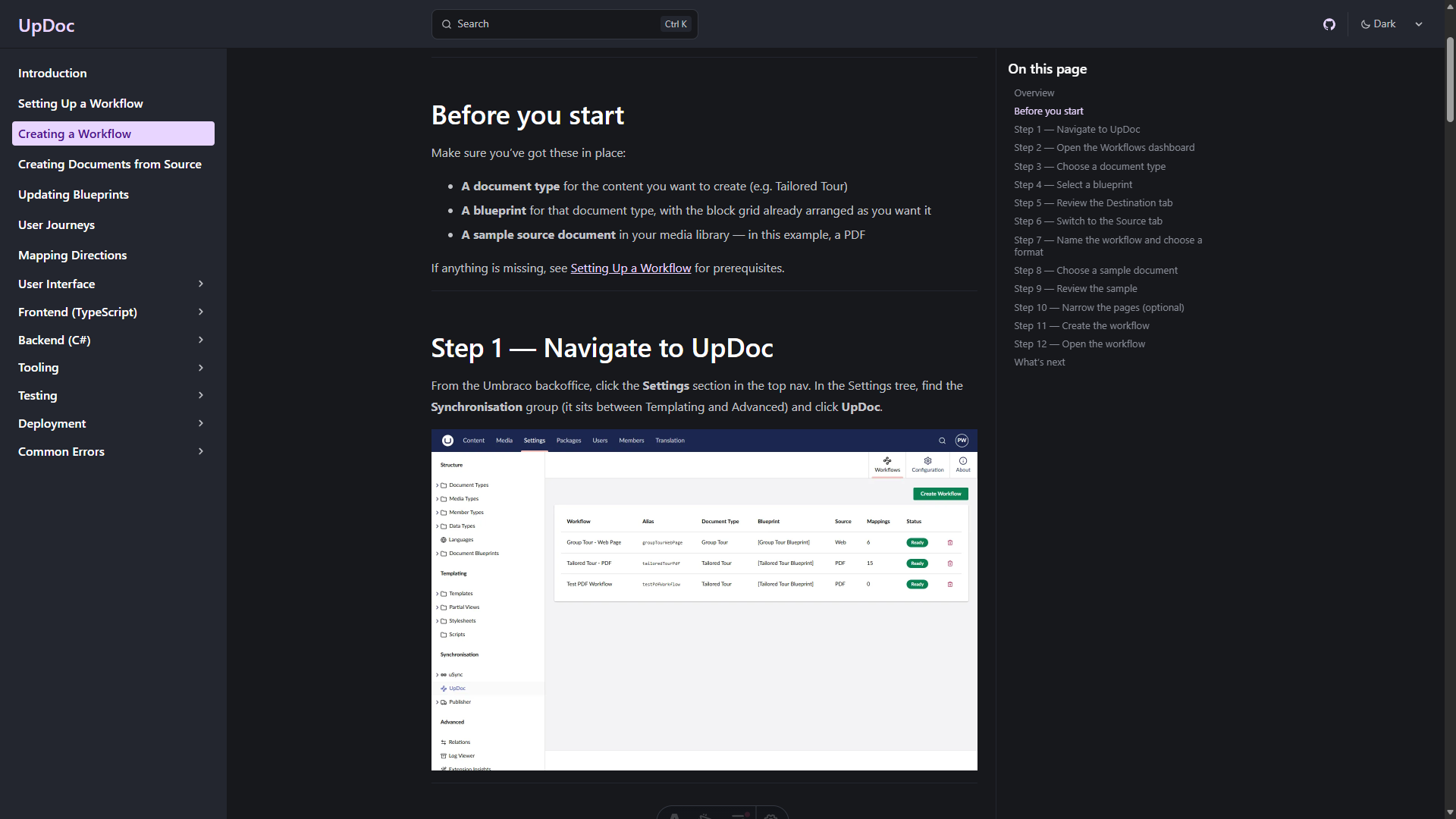
I picked Astro Starlight.
The reason was simple. Starlight is Node. Node was already installed on every machine I owned because the Umbraco backoffice is TypeScript. One toolchain. No Python. Admonition syntax that matches every other modern docs tool I'd used.
Sixty-eight markdown files migrated in one weekend.
Where your docs live and where your docs get published turn out to be two different decisions. UpDoc's developer docs go to GitHub Pages because that's the zero-friction option for a public open-source project. But I've since written a second set of documentation for a client project, where the end-user manual needs to be login-only for their editors. That one goes to Cloudflare Pages, because Cloudflare Access lets me put permissions in front of the docs for free.
Same markdown. Same writing workflow. Different host, because different audience.
My workflow
Here's how I automatically create UpDoc's developer documentation and user manual simultaneously as I work.
When I start a new piece of work, usually a new feature, the whole pipeline kicks off from a single trigger: a GitHub issue.
When I notice something that needs doing, I ask Claude to turn it into a GitHub issue. There's always a backlog ready to pick from.
Step 1: Write planning documents from issues
I have the GitHub Pull Requests and Issues plugin installed in VS Code, so every issue I have to work on is sitting in the sidebar.
I pick one and create the branch from the issue.
Then I ask Claude to create a planning document for it. Issue and planning doc, sitting side by side, both written before I write any code.
The issue is now the spine of everything that follows.
Step 2: Write developer documentation whilst developing
The work itself becomes the documentation. Every fix has a why, every new thing has a how, and both get written down at the moment they happen, not weeks later when nobody remembers.
So every commit carries two things: the change to the code, and the change to the developer documentation.
When the work merges to main, the documentation publishes with it. The codebase and the docs ship in lockstep.
Step 3: Write the user manual whilst user testing
By now the feature works and the developer documentation is in. The only honest way to test a web application is to use it as a user would, and that test session is also the moment the user manual gets written.
I open the running site. I open Claude in my editor. I narrate what I'm doing, step by step, in natural language. "I open the menu. I click into the new section. I see a dashboard with three tabs..." Claude takes notes, asks clarifying questions when I skip over something, and marks every moment that needs a screenshot.
From that conversation Claude produces two things side by side: the user manual in the documentation folder, and a Playwright spec in the test folder that walks through exactly the same flow and captures a screenshot at every marked moment.
I run the spec. Selectors fail on the first run, they always do. I fix them one at a time and the screenshots land in the folder the manual is already pointing at. When the spec runs clean I commit everything in one go: screenshots, markdown, spec. Push, merge, publish.
The user manual is now both written and proven. If the UI ever changes in a way that breaks the flow, the spec fails before anyone reads a stale page.
One thread runs through all of it
Look back at what just happened. The issue is markdown. The planning doc is markdown. The developer documentation is markdown. The user manual is markdown. The Playwright spec is generated from a markdown step list. Even the commit messages and the pull request body are markdown.
The whole pipeline runs on one common format, which is why every stage hands off cleanly to the next, and why the same workflow produces both kinds of documentation without translation.
Marked-up markdown, all the way down.
Why this works
The loop does three jobs at once.
The documentation describes the feature. That's the obvious job.
The Playwright spec proves the documentation is current. If the UI changes and breaks a selector, the test fails. A failing test is a louder signal than stale docs, and it arrives before anyone reads the page. Docs that can't silently rot.
The planning doc becomes the design record. Six months later, when I've forgotten why a feature works the way it does, I can open the planning doc and read it back. It's the honest version, written during the build, not retrofitted afterwards.
One artefact per job would be three documents to maintain. The loop gives me three uses of one artefact.
Which brings me to my other writing principle, the one I should have led with:
Why kill two birds with one stone when you can kill a flock with a rock?
What it unlocked
Once the loop was working, other things started happening that I hadn't planned.
- I added medium-zoom so readers could click any screenshot to enlarge it. Fifteen minutes of work. It just slotted in.
- I added Mermaid diagram support so I could draw flows and architecture in the markdown itself. Another plugin, another afternoon, and the diagrams version with the prose that describes them.
- I added a build-time guardrail that fails the docs build if a local-machine path accidentally ends up in published content. Because the docs build is just another npm script, adding a check to it was the same shape as writing any other test.
- The docs began to feel like a first-class part of the project. Not a separate thing I was neglecting.
None of that would have happened in GitBook. Not because GitBook is bad. Because GitBook's interface treats your content as data in their database. You can't write a test against it. You can't add a build step to it. You can't grep it from your terminal.
Content in context. The context is the repo. Everything else follows.
If you're an Umbraco developer thinking about docs
A few honest recommendations.
If you want docs that look like docs.umbraco.com, GitBook is still a good answer. The Git sync option means you can keep your repo as the source of truth. I haven't ruled GitBook out for future projects. It just didn't fit what I needed for this one.
If you're on MkDocs today, don't panic. Material is still actively maintained and beautiful. But the official successor is Zensical. Plan a migration. Don't rush one.
If you're starting fresh, and especially if you're already writing TypeScript for the Umbraco backoffice, Starlight will fit your brain. One runtime. One build. Muscle-memory syntax.
Whatever you pick, get the docs into the repo. That's the one decision that matters more than any of the tool choices.
The shift
I still don't love writing documentation. I'm not sure I ever will.
But I no longer avoid it.
Because I don't really write documentation anymore. I have a conversation about a feature. That conversation becomes a planning doc. The planning doc becomes a docs page and a test in the same breath. The test runs. The screenshots land. The docs deploy.
Documentation stopped being a chore the moment it stopped being a separate thing.
It became a byproduct of work I was doing anyway.
Which, it turns out, is what I'd wanted all along.
Sources and references
- Umbraco Documentation: runs on GitBook
- Material for MkDocs: Zensical announcement
- Material for MkDocs: What MkDocs 2.0 means for your projects
- MkDocs governance discussion #4089
- UpDoc on GitHub
- UpDoc's MkDocs to Starlight migration guide
- Dean Leigh: Semantics in Web Development (24 Days in Umbraco, 2020)
- Skrift Magazine writer guidelines